
How to set it up in Glide
- Connect the Dexcom G7: in Glide, tap Connect a CGM and enter the wearer's own Dexcom login. Full setup.
- On your phone, go to Settings → Notifications, turn on Signal lost and set No reading for (30 minutes by default, 15 to 120).
- Everyone in the family who wants the alert does the same in their own Glide.
What you see
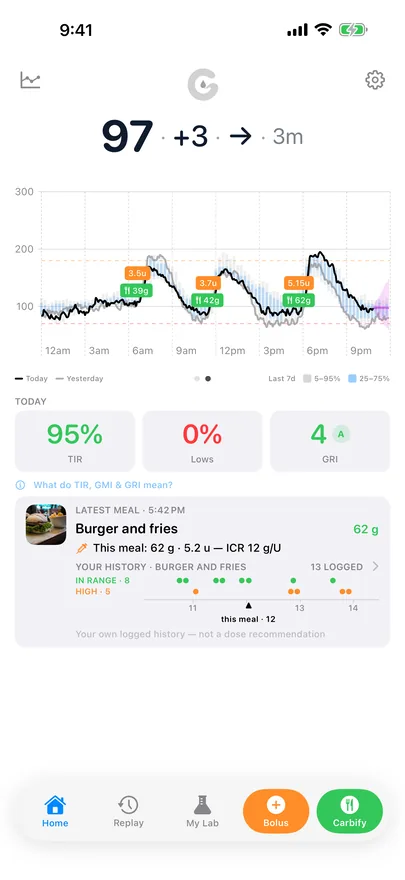
- The minutes since the last reading, next to the number.
- A gap in the chart while no readings arrive. It fills in when they come back.
- A lost signal alert on each phone where it is turned on.
Questions
What does Dexcom say to do?
Followers get readings from the Dexcom cloud server, so the wearer's phone must be online and the G7 app must keep running. Low Power Mode can delay what followers see. (Dexcom)
- Make sure the wearer's phone has a stable data plan or Wi-Fi connection.
- On a school network, ask the school IT department to allow the Dexcom Follow connection.
- Ask the wearer to turn off Low Power Mode.
- Check status.dexcom.com for a Dexcom server problem.
Is the Dexcom Share server down?
When Glide and Dexcom Follow both stop at once, check the Dexcom Share live status.
What does Glide cost?
Glide is free: readings, the chart, followers, alerts, the nighttime call, the report and the Apple Watch app. Glide Premium ($4.99 a month or $39.99 a year, two weeks free) adds photo carb counting and My Lab's food groups.
More with Glide
Dexcom G7 with Glide
- Apple Watch
- Widgets & Lock Screen
- Report for the doctor
- Alarms in Silent mode
- How many followers
- Signal loss alert for followers
- Signal loss
- Alarms not sounding
- Follower not getting alerts
Follower app not updating on another CGM
Sources, quoted
- Dexcom: “Followers receive CGM values from our cloud server.”
- Dexcom: “make sure that the sharer's phone has a stable connection to a data plan or Wi-Fi.”
- Dexcom: “In these situations, we recommend contacting the school's IT department to configure network connections, which will allow the Dexcom Follow app to contact our server and provide CGM values for followers.”
- Dexcom: “If you're using the Share feature of the Dexcom G7 app, information sent to designated followers using the Dexcom Follow app”
- Dexcom: “may also be delayed. How to turn Low Power Mode off”
- Dexcom: “Check https://status.dexcom.com/ to see if there are any server issues.”
Every quote is checked against its source page before each update of this site; last checked 2026-10-06. Makers change their apps; the source page is the authority when it differs.