
How to set it up in Glide
- Connect the Medtrum Nano: in Glide, tap Connect a CGM and enter an EasyFollow follower login. Full setup.
- On your phone, go to Settings → Notifications, turn on Signal lost and set No reading for (30 minutes by default, 15 to 120).
- Everyone in the family who wants the alert does the same in their own Glide.
What you see
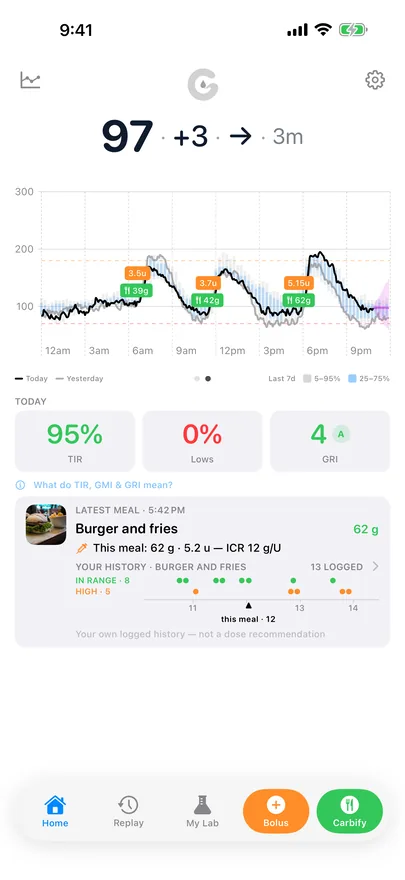
- The minutes since the last reading, next to the number.
- A gap in the chart while no readings arrive. It fills in when they come back.
- A lost signal alert on each phone where it is turned on.
Questions
What does Medtrum say to do?
EasyFollow shows data only after the wearer allows remote view, and only while both phones stay online with the apps running in the background. (Medtrum UK user guide, p. 9; Medtrum UK user guide, p. 5; Medtrum UK user guide, p. 7)
- On the wearer's phone, allow remote view in EasySense under Settings, Account Security.
- Do not use low-battery mode on the wearer's phone, because EasySense then stops uploading in the background.
- On the follower's phone, allow EasyFollow to use Wi-Fi and mobile data.
- Keep EasyFollow open and running in the background.
- Open EasyFollow again after the phone restarts.
Is the Medtrum EasyView server down?
When Glide and EasyFollow both stop at once, check the Medtrum EasyView live status.
What does Glide cost?
Glide is free: readings, the chart, followers, alerts, the nighttime call, the report and the Apple Watch app. Glide Premium ($4.99 a month or $39.99 a year, two weeks free) adds photo carb counting and My Lab's food groups.
More with Glide
Medtrum Nano with Glide
- Apple Watch
- Widgets & Lock Screen
- Report for the doctor
- Alarms in Silent mode
- How many followers
- Signal loss alert for followers
- Signal loss
- Alarms not sounding
- Follower not getting alerts
Follower app not updating on another CGM
Sources, quoted
- Medtrum UK user guide, p. 9: “Agree remote view permission”
- Medtrum UK user guide, p. 5: “Battery saver mode: Do not activate low battery usage mode. Otherwise, the app will stop uploading data in the background.”
- Medtrum UK user guide, p. 7: “Make sure the app is allowed to use WLAN and mobile data.”
- Medtrum UK user guide, p. 7: “Make sure the Medtrum EasyFollow Mobile App is always open and running in the background.”
- Medtrum UK user guide, p. 7: “Restart the Medtrum EasyFollow Mobile App after your smart device is restarted.”
Every quote is checked against its source page before each update of this site; last checked 2026-10-06. Makers change their apps; the source page is the authority when it differs.
The Nano CGM is not FDA-cleared and the EasySense and EasyFollow apps are not in the US App Store, so these answers come from Medtrum's international (WW) and UK English pages and guides.