How to set it up in Glide
- Connect the Libre 3: in Glide, tap Connect a CGM and enter a LibreLinkUp follower login. Full setup.
- On your phone, go to Settings → Notifications. Turn on Low and set At or below (80 mg/dL by default). Turn on Signal lost.
- Everyone in the family who wants the alert does the same in their own Glide.
- For the night: Settings → Phone Alerts → Add a phone number. Enter a mobile number (outside the US, with its country code) and the code Glide texts you.
- Under Wake-up call, set the hours (10 PM to 8 AM by default). Under When to call, keep Call on signal loss on.
- Tap Add caller to Contacts. In Contacts, open that contact, tap Edit → Ringtone and turn on Emergency Bypass, so the call rings through Silent and Focus.
- Tap Send a test call.
What you see
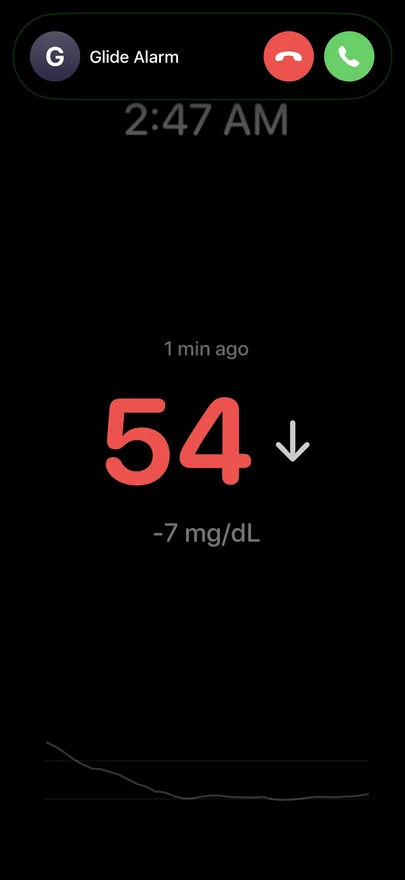
- A low or lost signal alert on each phone where it is turned on.
- At night, a call when the reading is at or below the Call at or below number (70 mg/dL by default) or when the signal is lost.
- Another call every 15 minutes by default (the Snooze setting), until readings come back.
Questions
What does Abbott say to do?
The Libre app lists the causes: alarms turned off, the sensor out of range, wrong phone settings or permissions, Silent Mode on, the app closed, or (Android) the app put to sleep. (Abbott)
- Keep the phone within 33 feet of the sensor.
- Check the phone's notification settings and permissions for the app.
- Make sure Silent Mode is not on in the app.
- Keep the app open in the background.
- On Android, add Libre app to the apps that are not put to sleep.
What does Glide cost?
Glide is free: readings, the chart, followers, alerts, the nighttime call, the report and the Apple Watch app. Glide Premium ($4.99 a month or $39.99 a year, two weeks free) adds photo carb counting and My Lab's food groups.
More with Glide
Libre 3 with Glide
- Apple Watch
- Widgets & Lock Screen
- Report for the doctor
- Alarms in Silent mode
- How many followers
- Signal loss alert for followers
- Signal loss
- Follower app not updating
- Follower not getting alerts
Alarms not sounding on another CGM
Sources, quoted
- Abbott: “The sensor must be within range (33 feet) of your phone for you to receive alarms.”
- Abbott: “Check to make sure that you have the correct settings and permissions enabled on your phone to receive alarms.”
- Abbott: “You have enabled Silent Mode in the app.”
- Abbott: “Make sure the app is always open in the background.”
- Abbott: “Put Libre app on the list of apps that will not be put to sleep.”
Every quote is checked against its source page before each update of this site; last checked 2026-10-06. Makers change their apps; the source page is the authority when it differs.
In the US, Abbott's Libre app replaces the FreeStyle Libre 3 app, whose App Store listing says it is not the latest app.